Figma Plugin · Accessibility
Accessibility Scanner
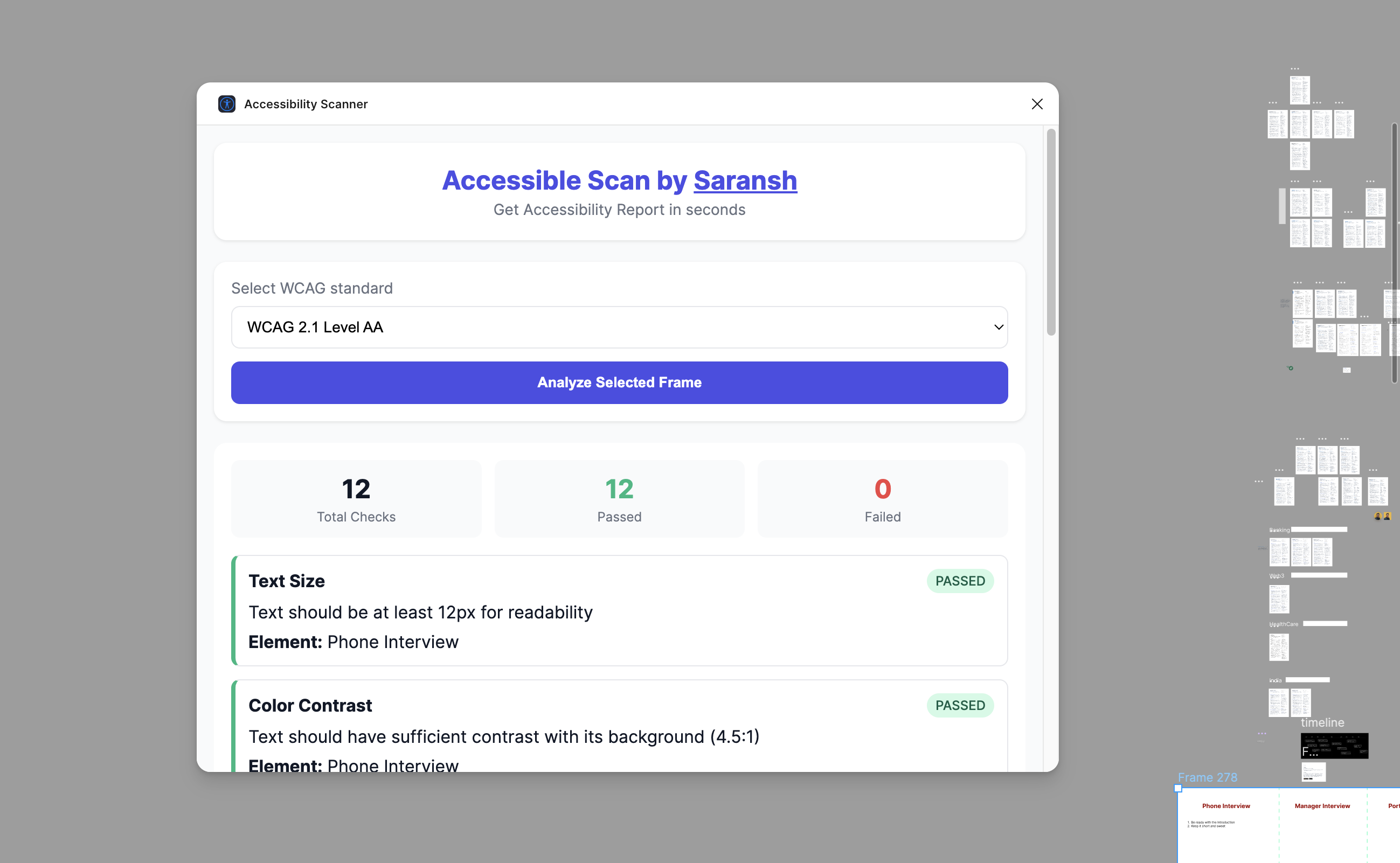
Bulk WCAG compliance scanning inside Figma — making inclusive design effortless

Challenge
Accessibility checks happen too late — usually after development — making fixes costly and disruptive. Designers want to build accessibly but lack tools that live where they design.
Existing Figma plugins only check contrast. No tool allowed bulk scanning with selectable WCAG levels across entire design files.
Process
- Interviewed 6 designers about their current accessibility process
- Audited 5 existing accessibility plugins for capability gaps
- Defined scanning modules: contrast, font size, spacing, alt text, focus indicators
- Built using Figma Plugin API and vanilla JS
- Ran 3 rounds of beta testing with design teams
Key Features
Scan. Learn. Fix. All without leaving Figma.
- Bulk frame scanning — select any number of frames at once
- WCAG level selector — toggle between A, AA, and AAA
- Issue prioritization — critical vs. advisory sorted by impact
- Educational tooltips — each issue links to the relevant guideline
- Persistent checklist — tracks progress across sessions
Outcomes
93% of beta testers reported learning something new about accessibility during their first scan. The plugin reduced the time to identify a contrast issue from ~8 minutes (manual checking) to under 30 seconds.
93%
Testers
Reported learning something new
30s
vs 8min
Time to identify contrast issues
3
WCAG Levels
A, AA, AAA selectable
5
Check Types
Contrast, font, spacing, alt text, focus